

For cabling and networking distributors
Quotes you can explain, line by line.
Anixify prices every line from your rate card or from the cost you typed, shows where each figure came from, builds landed cost for imported goods, and checks the customer's purchase order against the quote before you place yours.
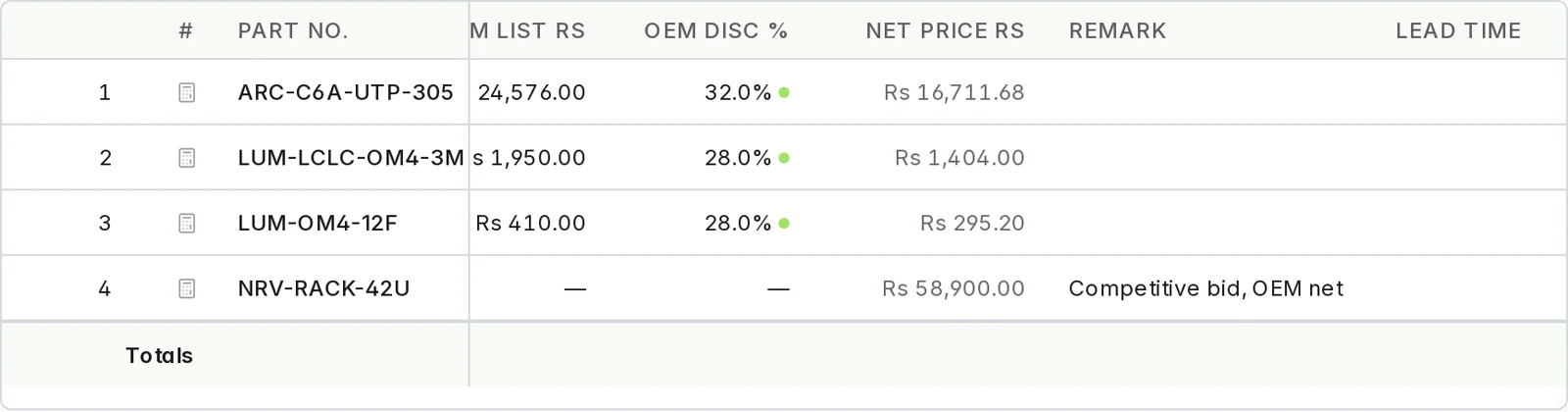
Rate-card pricing, with its source on every line
Record the standing discount once for each customer and brand. Each line's discount carries a marker for where it came from — the rate card, or a figure someone entered — and a competitive-bid line shows the net cost the OEM quoted, with no discount invented. Open any line and the explanation walks from its net cost to the sell price, one step at a time.
- Discounts are matched on the customer and the brand, never on a name that happens to look alike.
- Every price comes from one tested pricing engine, rounded the same way every time.
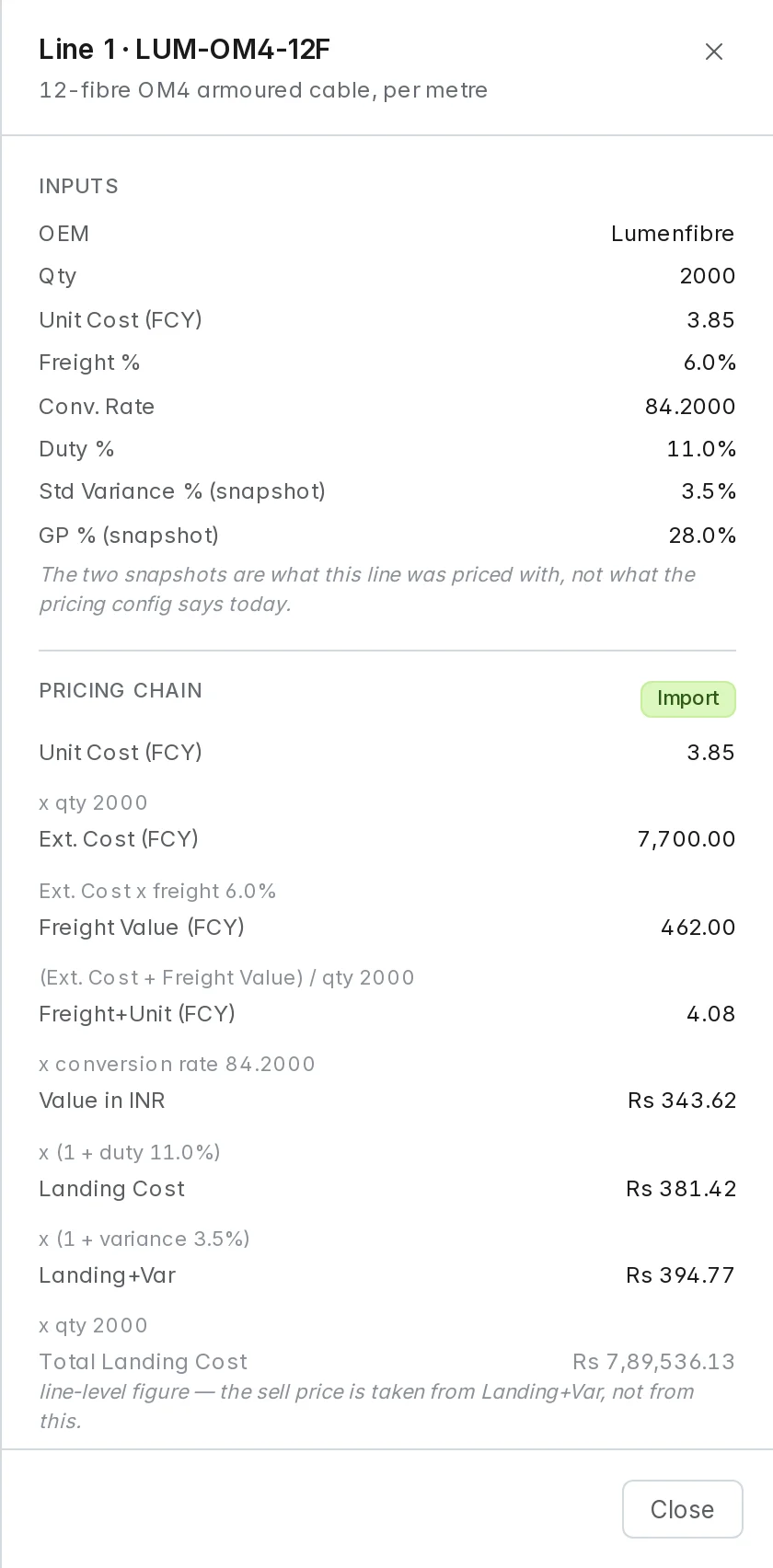
Landed cost for imported goods
Buying in dollars? Enter the supplier price, the freight percentage and the HSN code. The exchange rate comes from the schedule you publish, the duty (BCD plus SWS) from your duty schedule, and the line shows the landed cost the sell price is built on.
- Rates are published with an effective date; a quote line records which rate it used.
- No rate in force, no price. A currency without a published rate refuses to price.
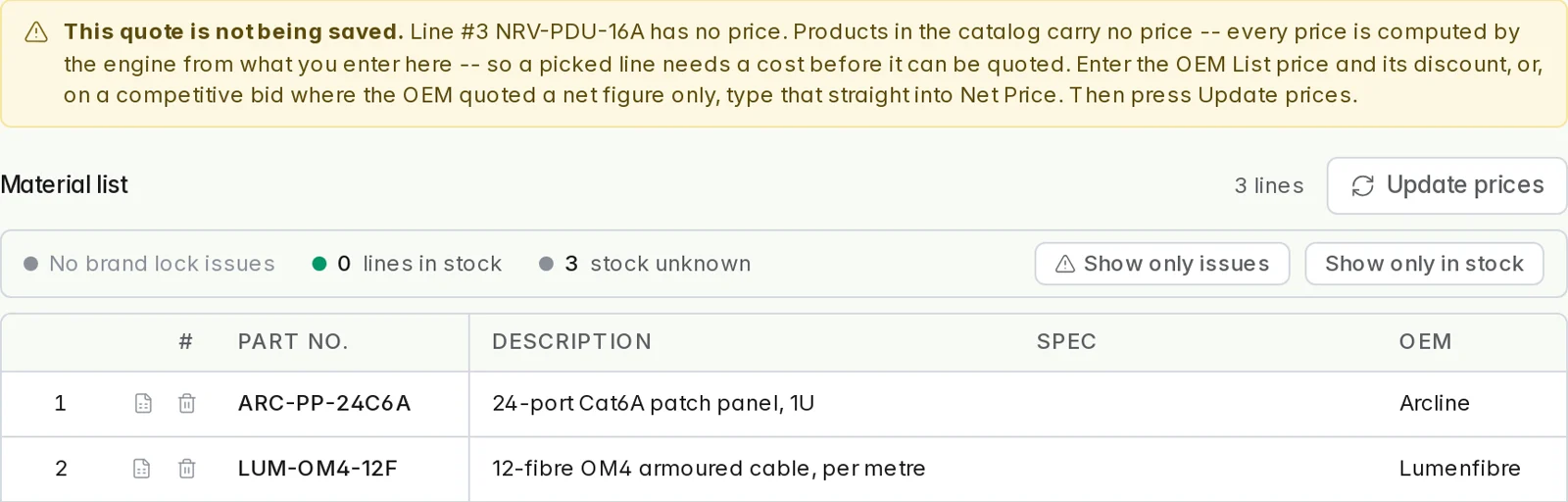
A refusal, never a guessed price
When a line has no cost basis — no rate-card entry for that customer and brand, and no cost typed in — it is refused, the draft is not saved, and the screen says exactly what to enter. Nothing is priced at zero and nothing is filled in for you.
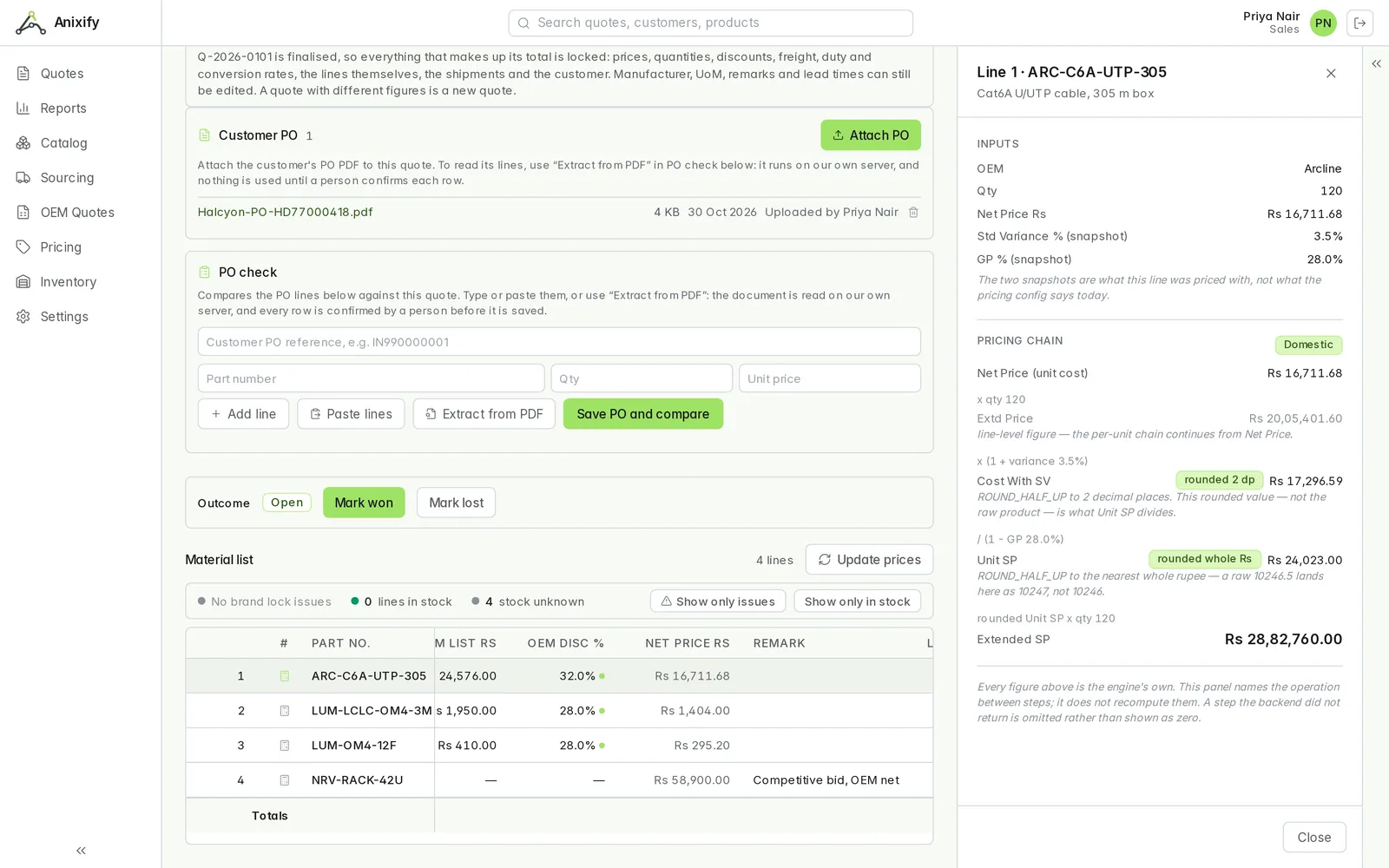
Finalise, and the figures stay put
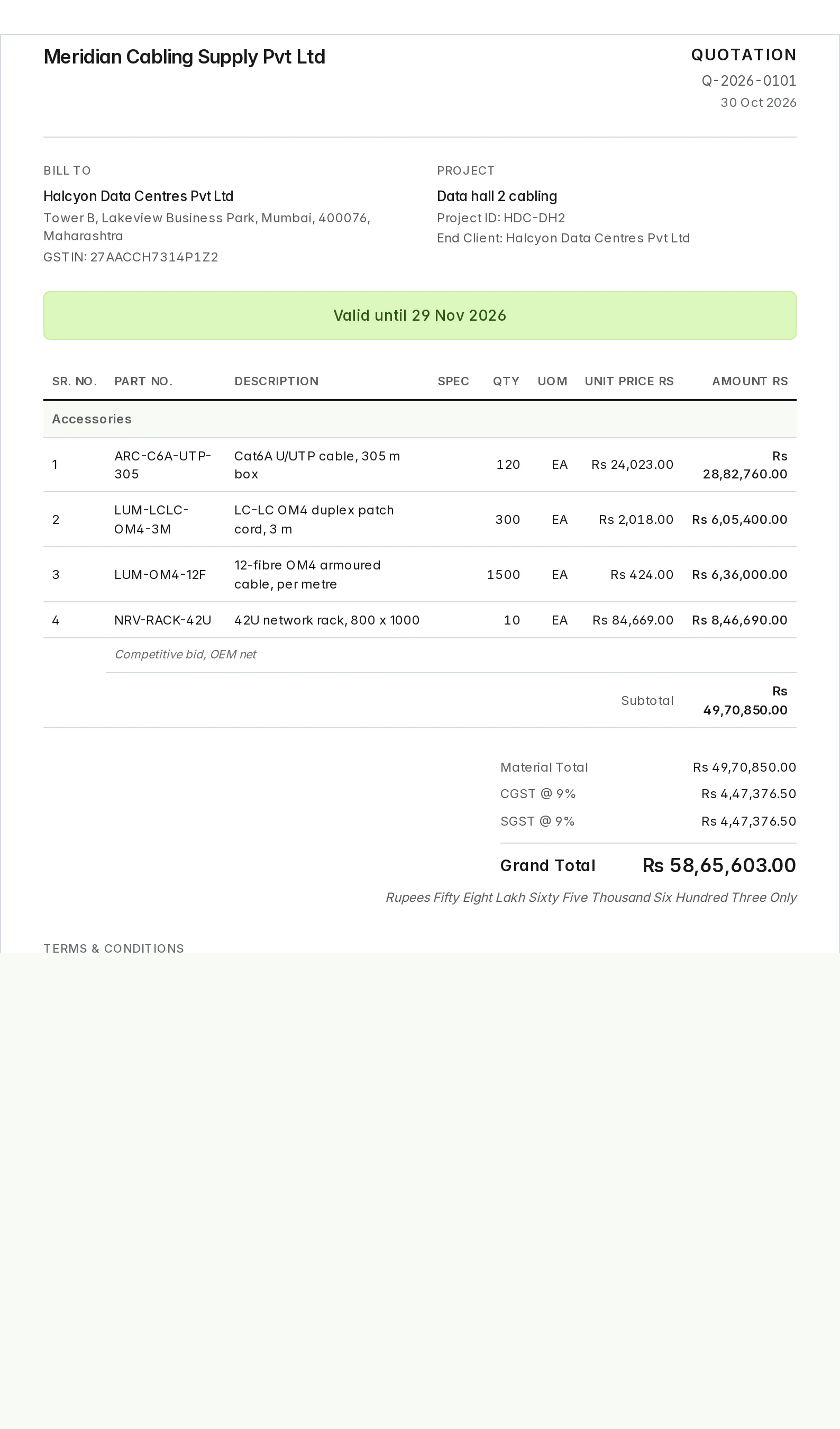
Finalising issues the next number from your own quote sequence and locks every figure on the quote, tax included. Later rate or setting changes never restate a quote you have already sent. The customer document carries sell prices, quantities and totals — never cost, discount, freight, duty or margin.
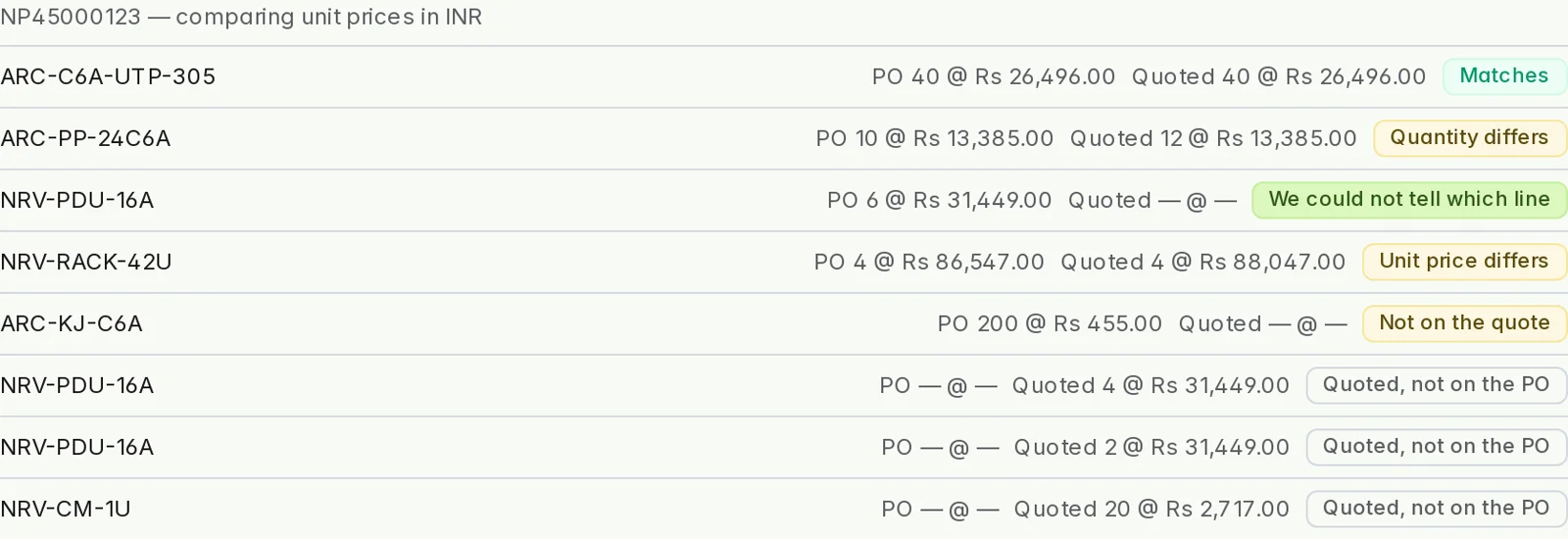
Check the customer's PO against the quote
Attach the purchase order and extract it from the PDF into a review table, or paste the rows from a spreadsheet. Confirm the rows, then compare: each line comes back as a match, a quantity difference, a price difference, a part that was never quoted, or a quoted line that was not ordered.
- When two quote lines could be the one the PO means, it says so instead of guessing.
- Nothing is read into the comparison until a person has confirmed the rows.
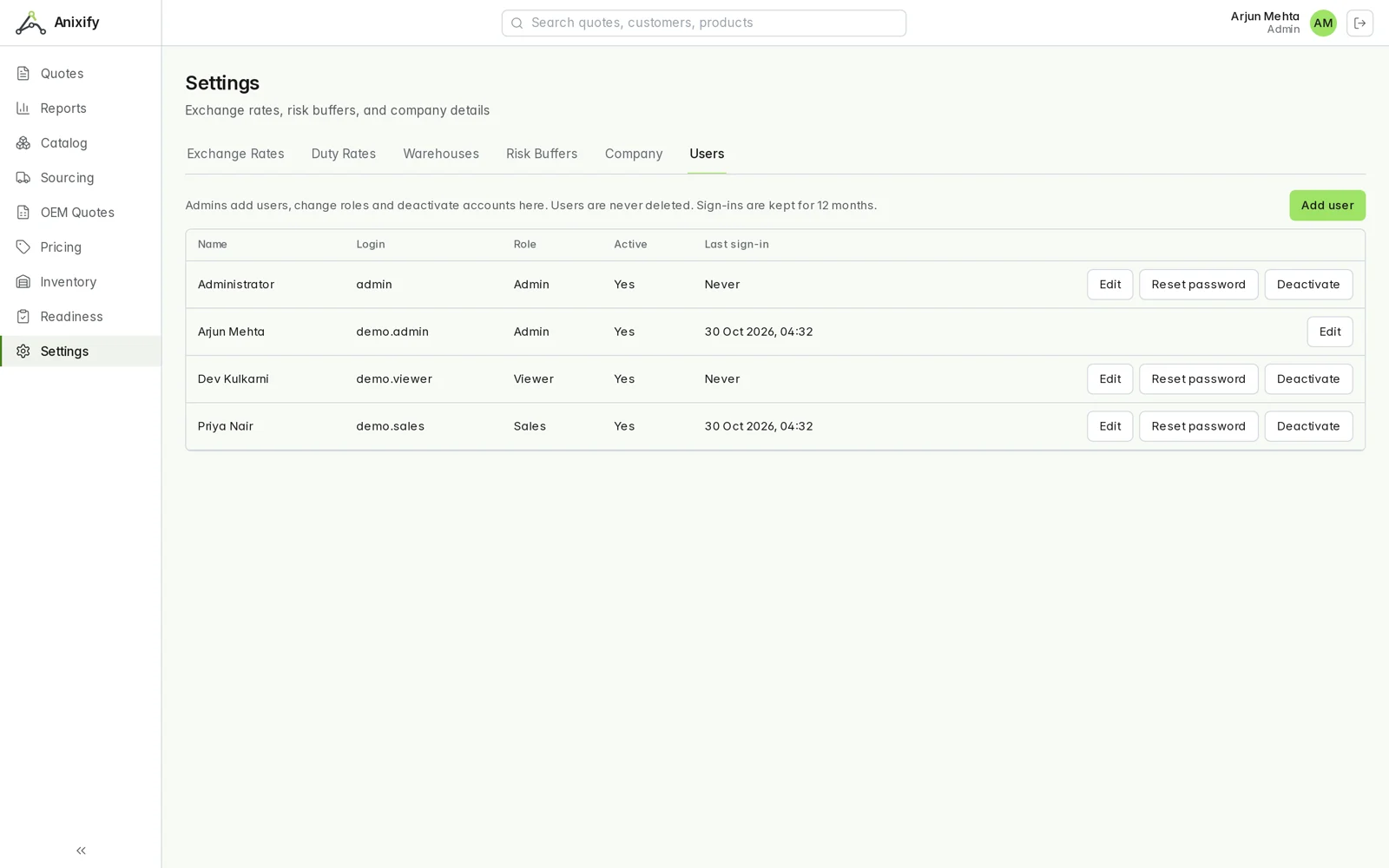
Roles the server enforces, and a record of who changed what
Viewer, Sales and Admin. Each permission is checked by the server on every request, not just hidden on the screen. Changes to rates, customers, users, warehouses, purchase orders and quotes are written to an append-only log with who made them and when.
Twenty seconds of it
Backed up every night, and the backup is tested
Nightly
The database and every attached document are backed up each night.
Encrypted, off site
Each backup is encrypted, copied to separate storage, and the copy is verified.
Restored every week
A restore drill rebuilds a backup into a scratch database to prove it can be restored.
See it on a demo company
The guides walk through Anixify on an invented distributor: setting up a rate card, taking a quote to final, and checking a purchase order.
Read the guides