

Price a line from your rate card
Record a customer's standing discount for a brand once, then watch every line say where its cost came from.
Video coming soon.
This guide uses the demo company, Meridian Cabling Supply, and its customer Halcyon Data Centres. Every name, part and price in it is invented.
1. Record the standing discount
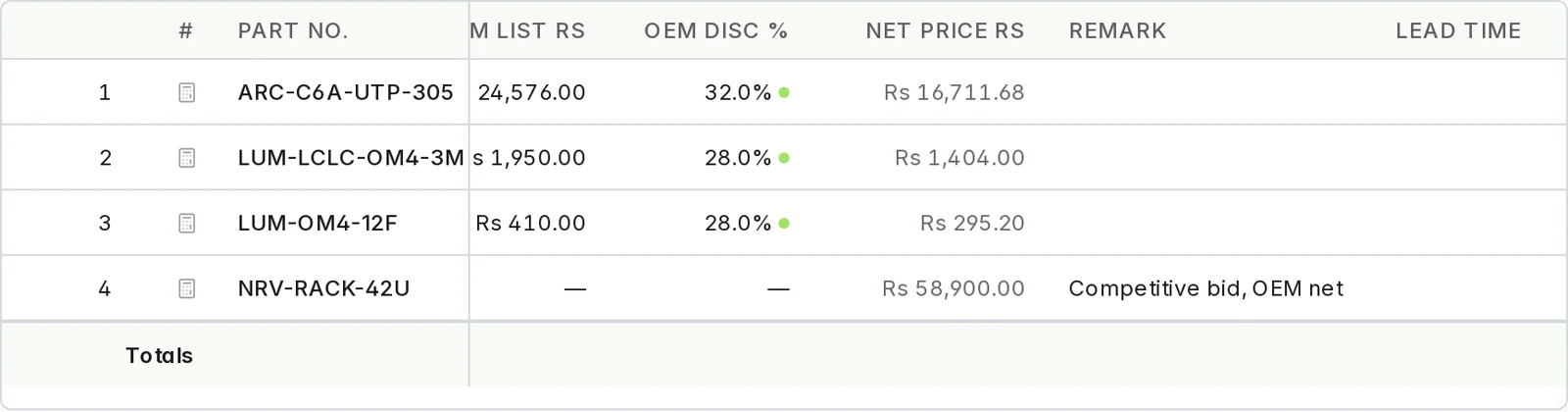
A rate-card entry is one fact: this customer pays this discount off the OEM list price for this brand. An Admin adds it under Pricing › Discounts: the customer, the brand, the percentage and the date it applies from. In the demo, Halcyon has 32% on Arcline and 28% on Lumenfibre. There is deliberately no entry for Halcyon on Norvik.
A rate is matched on the customer and the brand — the records themselves, not a name that happens to look alike.
2. Add the product and its list price
Open a draft quote for the customer, press Add Materials, pick the part, and type the OEM list price into the line. The discount is filled in from the rate card and a marker appears beside it; hover over the marker to see which rate-card entry it came from. Press Update prices and the engine prices the line.
3. Read the explanation
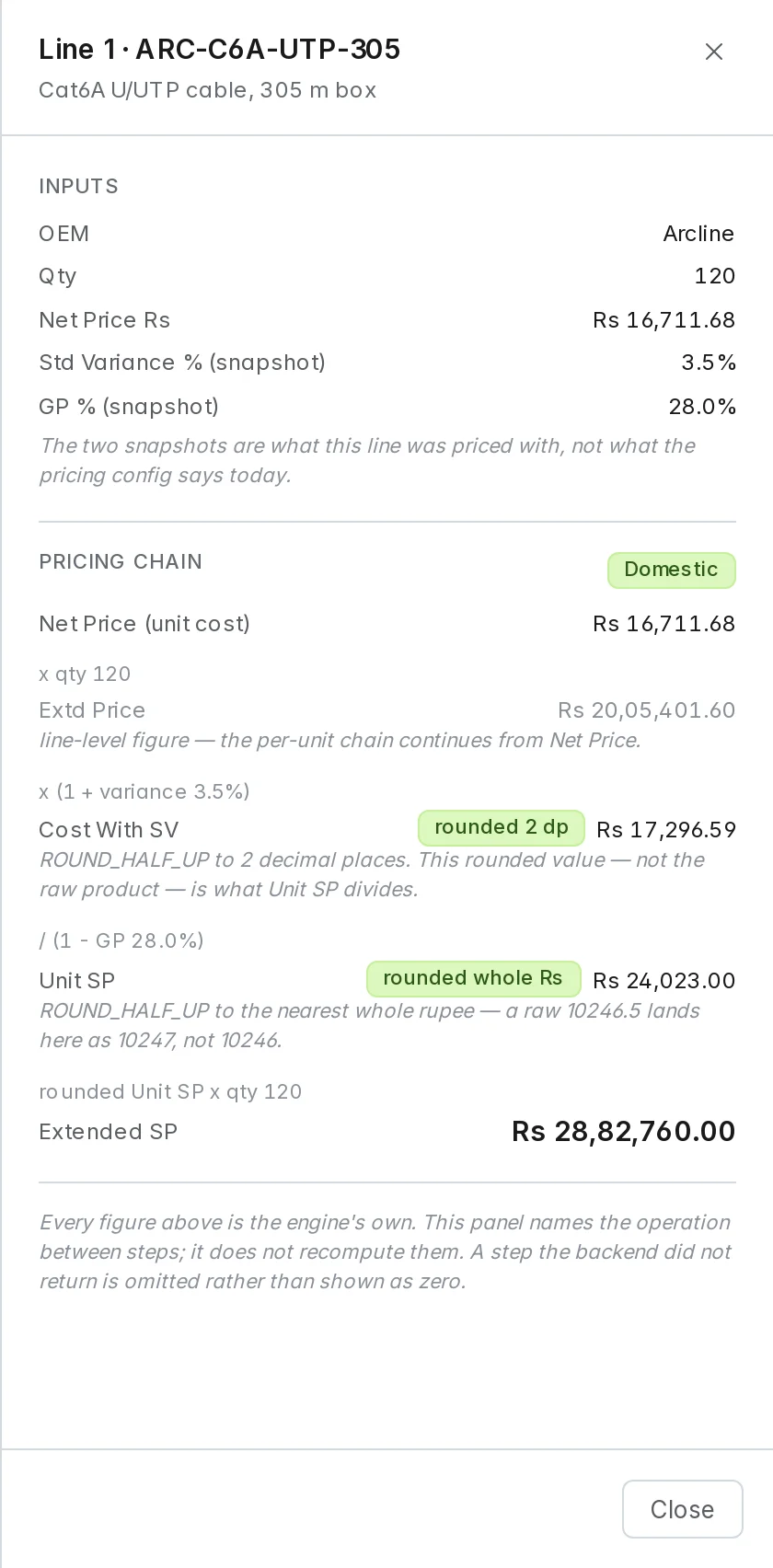
Press the explanation icon on a priced line. The panel starts from the line's net cost and shows each step to the sell price, with the variance and GP % the line was priced with and where each figure is rounded.
4. A competitive bid: type the net cost
When an OEM prices one deal at a special net cost, there is no standing rate to record. Type that cost straight into Net Price on the line, and note why in Remark. The line carries the net cost and no list price or discount — nothing is made up to fill them in. Line 4 in the picture above is one.
5. No rate, no price
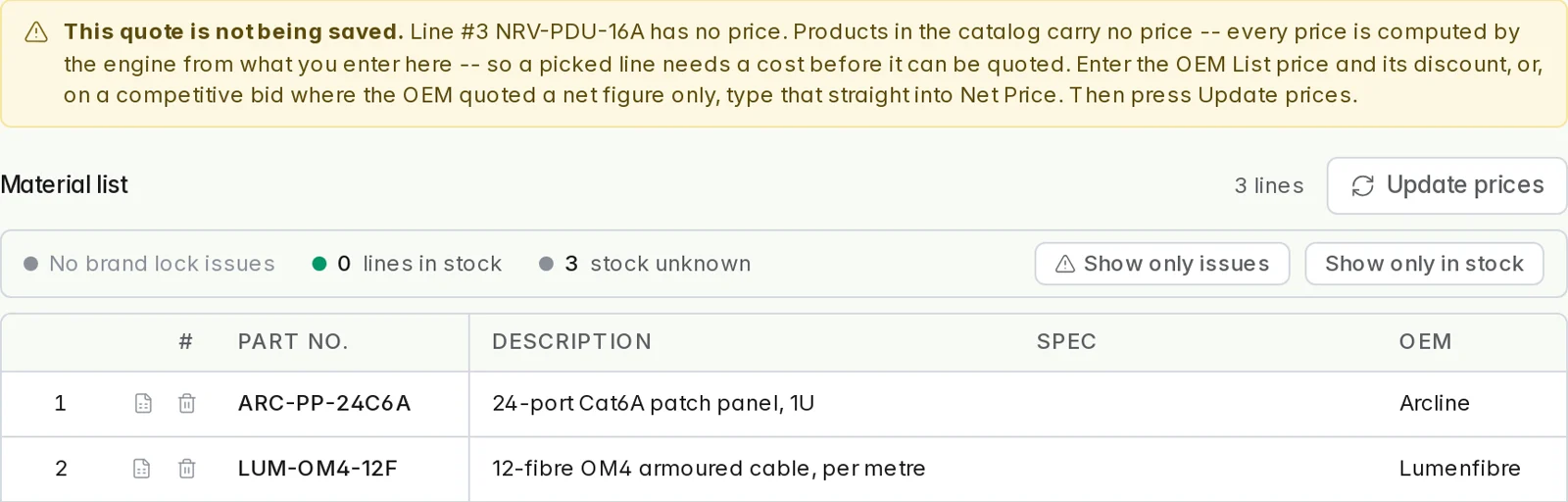
Add a Norvik part to a Halcyon draft and there is nothing to price it from: no rate-card entry and no cost typed in. Anixify refuses the line rather than guess, and the draft is not saved until you either add the rate or type the cost. The banner says exactly which.
Updated 2026-10-30